

PDF Clean
Your PDFs, ready in a few taps
Merge, compress, sign, scan: it all happens on the iPhone. No document is ever sent to a server.
On the App Store
Download on the App Store Free, on iPhone and iPad
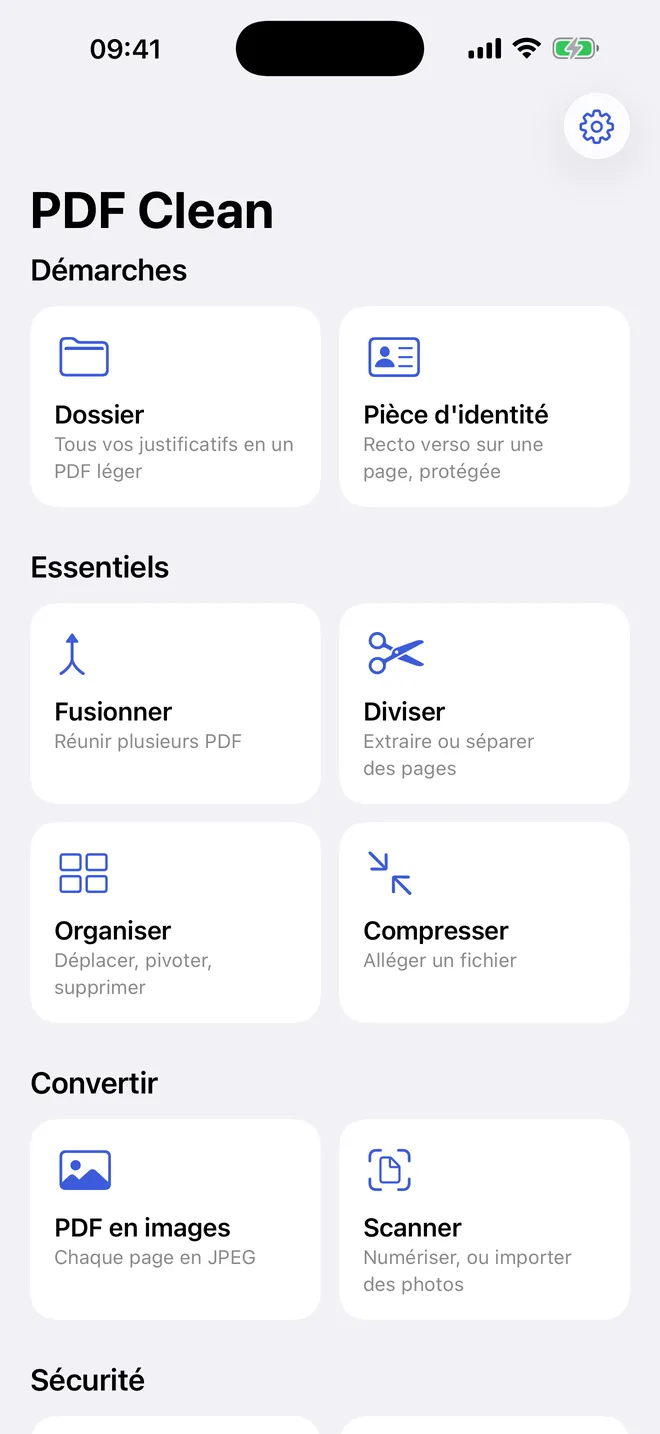
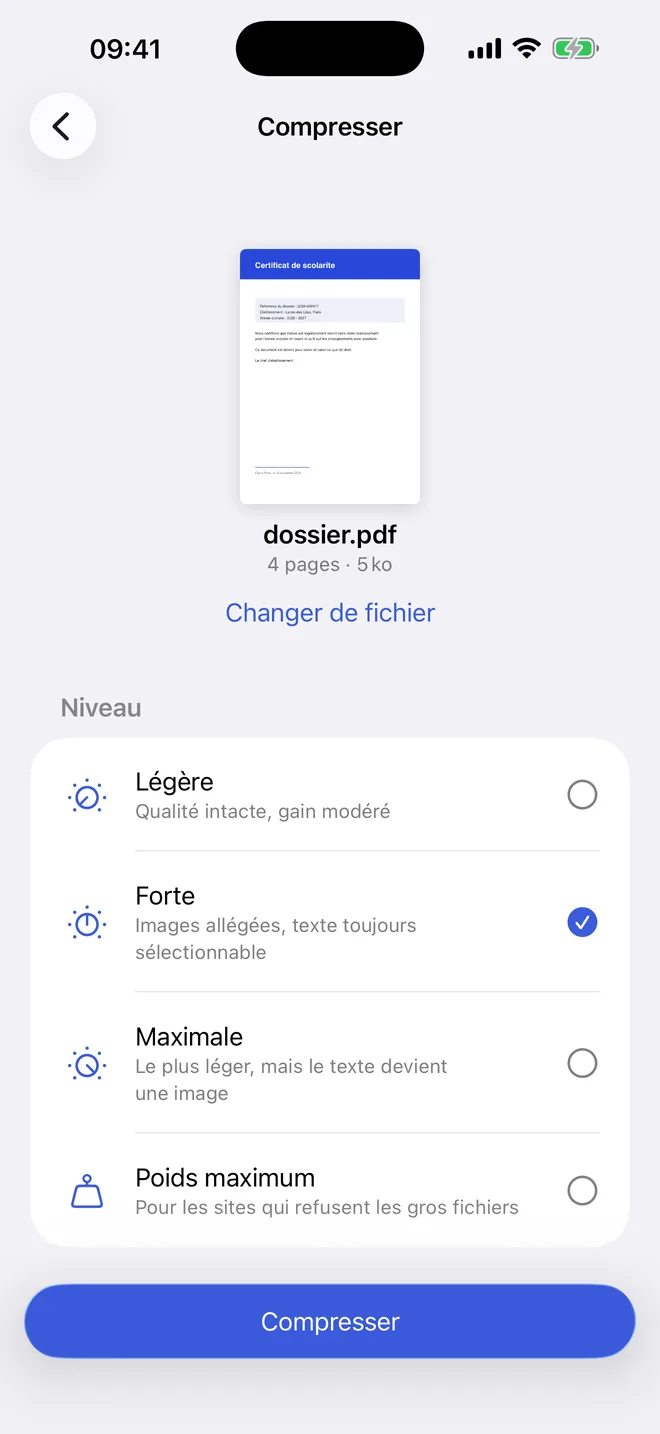
All your PDF paperwork, on the iPhone
A file to send that must stay under 2 MB? PDF Clean combines PDFs, photos and scans into one file and compresses it under the size you need: 1, 2, 5 or 10 MB. For an ID card, it puts the front and back on one page, with a watermark saying who the copy is for.
Tap a text in the PDF to fix it as in a word processor: the app finds the original font. Add text, sign, fill in a form, highlight, stamp.
Merge, split, reorder pages, number them, crop, scan with searchable text, convert Word, Excel or PowerPoint to PDF and a PDF to Word, password-protect, redact an IBAN: it is all free, with no limits and no subscription. Your documents never leave the device.
What the app does
- Compress
- a PDF under the size you need, 1, 2, 5 or 10 MB, for an application or an online form.
- Edit
- a PDF’s text in its original font, add text, sign, fill in a form.
- Organize
- merge, split, reorder, number and crop pages.
- Convert
- Word, Excel, PowerPoint, images and web pages to PDF, a PDF to Word or to images, with text recognition.
- Protect
- password, watermark, true redaction of a number, removal of hidden information.
- Free and private
- no account, no ads, no limits; everything happens on the device, in six languages.
Help
Is the app really free?
Yes. No limits, no subscription, no ads. An optional tip is available in Settings, “Support the app”; it unlocks nothing.
How do I compress a PDF under 2 MB?
Open “File”, add your PDFs, photos or scans, pick the maximum size (1, 2, 5 or 10 MB): the app makes one file under that size.
Are my documents sent anywhere?
No. Your documents are processed on the device. Only two tools use the Internet: “Web page to PDF”, to load the page, and “Translate”, when iOS downloads a language.
How do I edit a PDF’s text with the same font?
Open “Edit text” and tap a text. The app reuses the document’s font; if it is missing from the device, add its file (.ttf or .otf) from the font list.
My file is password-protected
Use the “Unlock” tool if you know the password.
How do I see the intro again?
Settings, “Replay the intro”.
Can’t find your answer? Write to us, with your device model and the app’s version.
contact.ebunstudio@gmail.com